
For context, you can delegate most daily work to a remote assistant once your processes are documented as simple SOPs. Finding good specialized STR virtual assistant support changes how you work. A short-term rental virtual assistant needs clear instructions to succeed.
In practice, most hosts already run repeatable routines for messaging, turnovers, emergencies, and pricing. Those exact steps just live in their head. As a result, hiring and training remote help feels risky and tiring.
Therefore, this guide will show a step by step way to extract those routines. You will turn them into vacation rental standard operating procedures and hand them off. In most cases, the first step is mapping what actually happens in your STR business today.
Quick summary: SOPs and VAs in one view
- Start by listing every recurring task you do for each property.
- Turn recurring tasks into step by step written SOP checklists.
- Store SOPs in one shared hub your virtual assistant can access daily.
- Train your VA by walking through each SOP with real guest scenarios.
- Update SOPs regularly as policies, tools, and Airbnb rules change.
What STR SOPs Are And Why They Matter
First, standard operating procedures are written step lists. They let any trained assistant run your properties exactly like you do.
For example, an SOP is just a simple checklist or playbook, not a legal document. Hotel teams have used written procedures for decades to keep service consistent across shifts. Today, STR operators face similar complexity when building remote teams.
Because of this, SOPs offer three specific benefits for hosts with multiple listings. They guarantee a consistent guest experience. They create much easier onboarding for a new short-term rental virtual assistant. Finally, they stop late night questions from staff because the answer is already documented.
In practice, one host with four units cut their weekly workload from twenty hours to just five. They simply wrote a checkout cleaning SOP that cut missed trash complaints to zero.
That said, you always need SOPs for these core areas:
- Guest messaging and approvals
- Cleaning and restocking
- Smart lock and access management
- Emergency response
- Owner reporting
As a result, your next step is to map out all the moving parts in your current operations before writing anything.
Map Your STR Operations Before You Write A Single SOP
To begin, you should map your existing workflows first. You must know which parts of your STR business need written procedures.
In most cases, owners completely underestimate how many steps they actually perform each week. You should spend three to five days with a notepad or notes app. Just capture every repeated task, from answering booking requests to sending codes to cleaners.
For example, you can use a simple category framework inspired by industry guidance. Sort tasks into guest relations, turnovers, maintenance, pricing, compliance, and owner communication. Similar categories appear in operations manual templates used by STR operators or property management software.
Because of this, follow these numbered steps for mapping:
- List your properties and key tools, like Airbnb, a PMS, and smart lock apps.
- Under each category, jot every recurring task you perform daily or weekly.
- Mark tasks that are repetitive and do not require your personal judgment.
- Highlight high risk items, such as emergency messages or payment disputes, for later advanced SOPs.
On the other hand, once you have this clear map, you can start turning single tasks into clear written instructions.
Turn Repeated Tasks Into Clear, Simple SOP Templates
Next, you create useful SOPs by turning each repeated task into a short, structured template that anyone can follow.
In practice, a basic template structure needs a title, purpose, when to use it, and tools needed. It also needs step by step actions, and a note on what to do if something goes wrong. Many hosts build these inside Google Docs or a Notion workspace template.
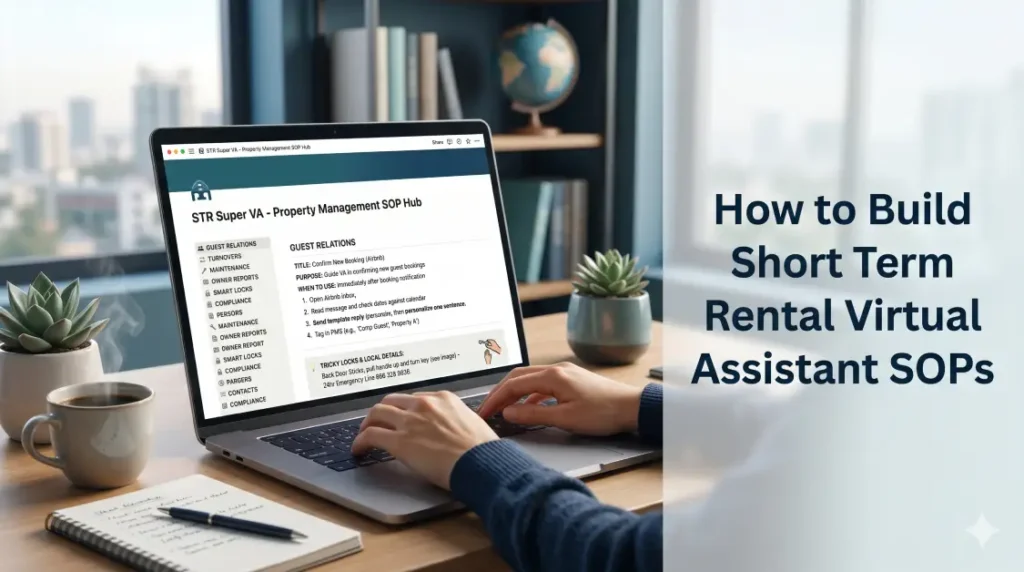
For example, this is a concrete mini example for confirming a new booking.
- Open the Airbnb inbox and read the guest message.
- Check the dates against the calendar and house rules.
- Send the saved reply template, then personalize one sentence.
- Tag the booking in your PMS according to property and guest type.
That said, a well written procedure prevents confusion. Look at this comparison:
| SOP quality | Example instruction | Likely result |
| Too vague | “Send check in info” | VA misses details |
| Overly complex | Long paragraph of steps | VA feels confused |
| Clear and direct | Numbered steps and times | VA feels confident |
As a result, you must also document your smart lock and access management procedures.
On the other hand, the next section covers capturing hidden knowledge, such as tricky locks and local quirks.
Capture The “Stuff In Your Head” That Breaks When You Delegate
First, you protect your standards by documenting the tiny quirks and exceptions that usually only live in your head.
In most cases, failed delegation comes from missing context. This includes odd parking rules, fussy appliances, or neighbors who call at small issues. You should walk through your property and digital tools as if you were a new assistant.
For example, note every place where someone might get stuck. You can capture that detail practically without writing a novel. Record a short screen video of updating a Yale smart lock code.
In practice, you can snap photos of how trash bins must be placed at the curb. You can also write one sentence next to an item like, “back door sticks, pull handle toward you while turning key.”
Because of this, capture these five categories of hidden knowledge:
- Access quirks and smart lock steps
- Parking and building entry rules
- Appliance instructions and error messages
- Noise sensitive times or neighbors
- City specific compliance requirements and house rule nuances
That said, once this knowledge is written down, it is time to put everything into one central hub. Your short-term rental virtual assistant will use this hub daily.
Build A Central SOP Hub Your Virtual Assistant Can Actually Use
Ultimately, your SOPs only work if your assistant can find and use them quickly in one shared hub.
In most cases, you need a single source of truth, instead of random documents across email and chat. Hosts often use Google Drive folders or Notion workspaces for this. You should choose a tool that matches your team size and tech comfort.
For example, organize the hub by property and by function. You might have one folder for global procedures like guest messaging templates. Then, you can use subfolders per listing that cover photos, access instructions, and local quirks.
In practice, some owners also link these resources inside their property management system notes. This provides quick reference during live guest support.
That said, these practical features make the hub highly useful:
- Clear file naming with property and task names
- Internal links between related SOPs, such as check in and lock troubleshooting
- Version dates on each document so staff know what is current
- Simple search terms that match everyday language, such as “lost key”
As a result, the next step is using these SOPs as the backbone of training. You will use them for ongoing quality control with your VA.
Train Your Virtual Assistant To Follow And Improve Your SOPs
Next, you train your assistant by walking through each SOP together. Then, you let them practice with real scenarios and feedback.
In most cases, handing over a folder is simply not enough. You need a structured onboarding plan. The first week should focus on observing, and the second week on supervised execution.
For example, follow this simple three stage process.
- Review SOPs live on video, showing real examples in Airbnb and any PMS you use.
- Ask the assistant to handle low risk tasks first, such as responding to common questions with templates.
- Gradually assign higher risk tasks, like handling emergency messages, once they have mastered the basics.
Because of this, you should ask the VA where instructions feel unclear. A short-term rental virtual assistant who works with multiple owners often spots missing steps quickly. This feedback should always trigger updates to the SOP hub.
In practice, some hosts schedule monthly reviews of complex SOPs. This works well for those that relate to compliance, refunds, or safety.
On the other hand, the final section will show how SOPs let you safely expand. You can add more listings and services while staying in total control.
Use SOPs To Scale, Outsource, And Still Protect Your Brand
Finally, strong SOPs let you outsource daily work, add more listings, and preserve your hosting style at the same time.
In most cases, written procedures create a foundation for automation, owner reporting, and specialist support. For instance, you can define your emergency maintenance coordination SOPs. Then, a separate team member can run that part of the operation easily.
For example, a host usually starts with guest messaging SOPs. Then, they add SOPs for emergency maintenance, smart lock updates, and tax tracking. Over time, they assign these areas to the same virtual assistant or to additional specialists.
As a result, the host handles acquisitions and owner relationships. Many STR companies move from one property to ten properties without changing their daily involvement level. Their written systems simply carry the load.
That said, this table compares operating without SOPs and with SOPs:
| Area | No written SOPs | Clear written SOPs |
| Training | Re explain tasks often | VA learns from documents |
| Experience | Varies heavily | Consistent standards |
| Confidence | Depends on personal trust | Backed by clear processes |
| Scalability | Hard to add properties | Easier to add properties |
In practice, the next part will answer quick questions hosts often ask about SOPs and virtual assistants.
Frequently Asked Questions
What are SOPs in a short term rental business?
SOPs in a short term rental business are written step by step instructions. For example, they cover recurring tasks like messaging, cleaning, access, and emergencies. They help different team members respond the same way every time. As a result, they reduce mistakes, speed up training, and make delegation much easier.
Which STR tasks should I document first for my virtual assistant?
You should document the tasks that repeat daily or weekly and touch guests first. In practice, these usually include responding to inquiries, sending instructions, coordinating cleaners, and updating codes. Once those are stable, you can add SOPs for pricing changes. After that, focus on emergency maintenance and city specific compliance steps.
How detailed should Airbnb SOPs be for a remote assistant?
Airbnb SOPs for a remote assistant should be detailed enough that a new person could follow them without guessing. That means clear timing, exact wording for key messages, and photos for tricky steps. However, they do not need long paragraphs. In most cases, short bullet points and simple checklists work best.
Can a virtual assistant help me create my STR SOPs?
A virtual assistant can absolutely help create your STR SOPs. For example, you can record yourself doing tasks on video. Then, you ask the assistant to turn those recordings into written checklists. In practice, they can organize documents, suggest clearer wording, and note missing steps during real guest situations.
How long does it take to build useful SOPs for my rentals?
Most hosts can build useful first draft SOPs within two to four weeks. They just need to focus on one area at a time. In practice, you do not need to finish everything before delegating. For example, you can start with guest messaging while your assistant uses the early ones.
Do I still need SOPs if I only have one Airbnb property?
You still benefit from SOPs even with one property because they reduce mental load. Written steps make it easier to travel or hand off work during emergencies. That said, they also prepare you for growth. Because of this, you already have a playbook ready when you add a second place.
Ultimately, the fastest way to hand daily work to a short-term rental virtual assistant is writing things down. You just turn your current routines into simple, written SOPs. Finding good help becomes much easier.
In most cases, you only need to remember three important ideas. Map your tasks first, write practical templates that capture hidden quirks, and build a central hub. That said, use live training so the VA can follow and improve those procedures.
As a result, you should set aside one afternoon this week to list every recurring task. Choose one category, such as guest messaging, and write the first SOP today. Then, view STR Super VA pricing and plans. After that, get started with STR Super VA or call 866 328 9826 to discuss your SOPs.