
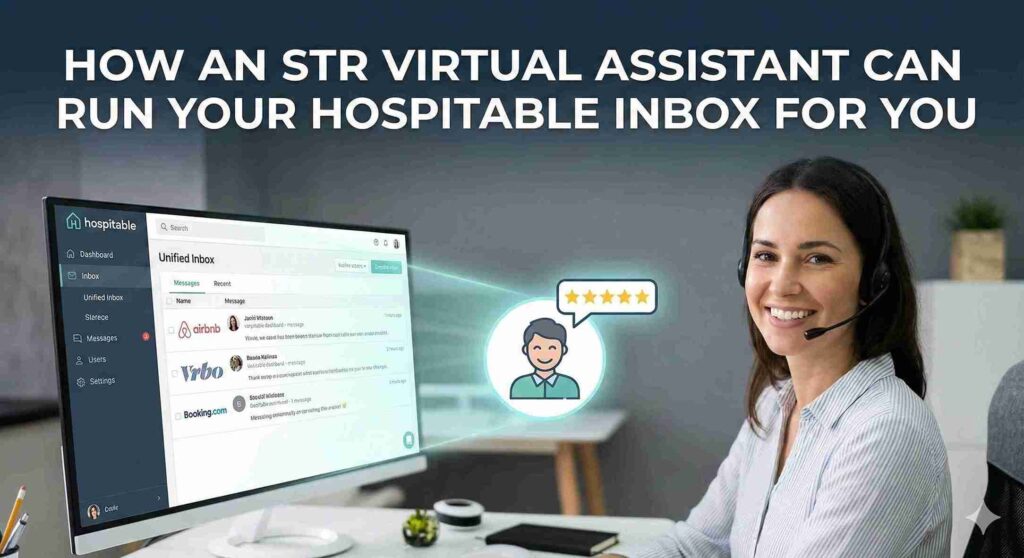
A trained STR virtual assistant can fully manage your Hospitable Inbox by acting as your primary guest communication lead, while you retain oversight and final control of your hosting standards. By combining Hospitable’s powerful automation features with the judgment and empathy of a human specialist, you get the best of both worlds: speed, accuracy, and personalized service.
For busy Airbnb and short-term rental hosts, the inbox is often the biggest source of daily stress. You worry about missing inquiries, answering late-night questions, or sounding robotic. Hospitable solves the automation part with unified messaging and AI drafts. However, automation cannot handle complex complaints, negotiate special requests, or coordinate nuanced maintenance issues.
That is where a trained assistant from STR Super VA steps in. Our assistants already understand how Hospitable works. They know how to triage messages, manage guest expectations, and escalate only the true emergencies to you. This setup allows you to step back from the daily grind without losing the personal touch that earns 5-star reviews.
What the Hospitable Inbox Actually Does for STR Hosts
Before delegating, it is important to understand the tool your assistant will be using. The Hospitable Inbox is a centralized command center that pulls messages from Airbnb, Vrbo, Booking.com, and your direct booking website into a single stream.
Key features include:
- Unified Messaging: No more logging into multiple apps to check for new questions.
- Automated Messages: Scheduled templates for booking confirmations, check-in instructions, and review requests.
- AI Assistance: Features that draft suggested replies or even automatically answer common questions about Wi-Fi, parking, and rules.
While these tools are powerful, they require monitoring. A human STR virtual assistant ensures the technology works correctly and adds the warmth that software lacks.
Core Tasks Your STR VA Can Handle Inside Hospitable
Your assistant does not just “watch” the inbox; they actively manage the entire guest lifecycle.
Daily guest messaging
Your VA acts as the front line for all communication. They respond to new inquiries within minutes to secure bookings. They answer pre-booking questions about location or amenities to screen potential guests. During the stay, they handle check-in questions and confirm that guests have arrived safely.
Inbox triage and prioritization
Not every message is an emergency. A trained assistant uses Hospitable’s tagging and filtering features to prioritize work. They separate urgent maintenance reports from routine “thank you” messages. If a payment fails or a guest reports damage, the VA flags this immediately and escalates it to you with a clear summary of the situation.
Templates and automations management
Hospitable relies on “shortcodes” and templates. Your VA manages this library. They update check-in instructions if a door code changes. They adjust the timing of automated messages based on guest feedback. They can also A/B test different message templates to see which ones get better engagement or review scores.
Coordination with cleaners and maintenance
Communication is not just for guests. Your VA uses Hospitable to notify cleaners of schedule changes. If a guest messages about a broken coffee maker, the VA logs the issue, contacts your maintenance vendor, and then follows up with the guest to confirm the fix. This closes the loop without you needing to send a single text.
Review and reputation work
Reviews are the lifeblood of your business. Your assistant responds to every guest review professionally. They also send personalized messages requesting reviews from happy guests. If they notice a pattern of negative feedback, such as multiple guests complaining about the same mattress, they flag this trend for your attention.
Human VA vs. Hospitable AI Inbox: When You Need Both
Automation is fast, but humans are smart. The most successful hosts use both.
| Feature | Hospitable AI Inbox / Automations | Trained STR Virtual Assistant |
| Speed | Instant (0 seconds) | Fast (Minutes) |
| Availability | 24/7/365 | Shift-based (usually covers 40-50 hours/week) |
| Empathy | Low (Can sound robotic) | High (Reads emotional tone) |
| Judgment | None (Follows strict rules) | High (Makes policy exceptions) |
| Problem Solving | Limited to FAQs | Handles claims, disputes, and coordination |
| Role | The Tool | The Operator |
When automation wins: sending check-in codes, answering “what is the wifi password,” and confirming bookings.
When a human wins: calming an angry guest, negotiating a late checkout fee, handling a lockout, or managing a maintenance crisis.
At STR Super VA, our assistants monitor the AI. If the AI drafts a reply that sounds off-tone, the human corrects it before sending. This ensures your brand voice remains consistent.
How to Safely Delegate Your Hospitable Inbox to an STR Super VA
Delegating does not mean losing control. Follow this proven process to hand off your inbox safely.
- Access and Permissions: Do not share your master password. Create a “Team” member account in Hospitable for your VA. Set permissions so they can view and reply to messages but cannot change your banking details or delete listings.
- Build Your SOPs: Create a simple document with your “Standard Operating Procedures.” List your rules for refunds, early check-in fees, and emergency contacts. STR Super VA provides templates to help you build this quickly.
- The “Shadow” Phase: For the first two weeks, have your VA draft responses but not send them. Review their drafts daily to correct tone and accuracy.
- Steady State: Once you trust their judgment, let them handle 90% of messages independently. Tell them exactly which “red flag” issues (like parties, police, or safety threats) require your immediate attention.
Because our assistants are vetted and backed by a lifetime guarantee, if your VA ever leaves, we replace and retrain a new one for you at no extra cost.
KPIs and Dashboards: Measuring the Impact
You can track the success of your VA directly inside Hospitable’s dashboard.
- Response Time: Watch your average response time drop. A good VA keeps this under 1 hour during their shift.
- Resolution Rate: Track how many conversations are closed without your involvement.
- Review Scores: Monitor your “Communication” rating on Airbnb. It should stay at 5.0 or improve.
- Time Saved: If you used to spend 15 hours a week in the inbox and now spend 1, you have gained back two full workdays a month.
Real-World Scenarios an STR VA Handles in Your Hospitable Inbox
Scenario 1: The Late-Night Lockout
- Without a VA: The guest messages at 11 PM. You are asleep. They call Airbnb support, cancel the booking, and leave a 1-star review.
- With a VA: The guest messages. Your VA (working their shift) sees the alert immediately. They check the smart lock dashboard, verify the battery is dead, and send the guest the backup physical key code. The guest gets in within 5 minutes and leaves a 5-star review for “fast help.”
Scenario 2: The Complex Inquiry
- Without a VA: A guest asks, “Is the pool heated, is there a grill, and how far is the beach?” You see the message 4 hours later. By then, they booked another place.
- With a VA: Your VA replies in 3 minutes with specific details from your property guide. They add a friendly note about the great local seafood market near the grill. The guest books instantly.
Scenario 3: The Upsell Opportunity
- Without a VA: A guest asks for a late checkout. You just say “okay.”
- With a VA: Your VA checks the calendar. They see no incoming guest that day. They reply, “We can certainly offer a late checkout until 2 PM for a small fee of $30. Would you like to add that?” You make extra revenue with zero effort.
FAQ: STR Virtual Assistants and the Hospitable Inbox
Will my STR VA see my financial and owner data in Hospitable?
You can control this with permissions. Hospitable allows you to restrict access to financial reporting and owner statements so your VA only sees the inbox and calendar tasks relevant to their job.5
How do I make sure my VA does not promise something I cannot deliver?
This comes down to clear SOPs. Your training document should explicitly state what a VA can and cannot authorize, such as refund limits or discount codes. If they are unsure, they should be trained to say, “Let me check with the owner and get right back to you.”
Can a VA manage multiple properties and channels from one Hospitable Inbox?
Yes, this is a core strength of the system. A single trained assistant can effectively manage communication for 10 to 50 properties because Hospitable unifies the flow. They do not need to log in and out of different accounts.
What happens if my STR VA misses a critical message?
Hospitable has alert features that can notify you via SMS if a message goes unanswered for too long.6 This acts as a safety net. Additionally, STR Super VA managers check in on assistant performance to ensure standards are met.
How is a trained STR Super VA different from a general VA I hire on a freelance platform?
A general VA needs to be taught what a “check-in” is and how to use the software. A trained STR Super VA arrives knowing the difference between Airbnb and Vrbo, how to navigate Hospitable, and how to speak the language of hospitality from day one.
Ready to Let a Pro Run Your Inbox?
You built your STR business to create freedom, not to be glued to your phone answering the same three questions all day.
A trained STR virtual assistant is the missing link between your automation tools and a truly passive business. With STR Super VA, you get a plug-and-play team member who is vetted, trained, and ready to work inside your Hospitable account immediately.
Book a discovery call today to find your perfect match, or apply now to start reclaiming your time and sanity. Our lifetime support guarantee means you never have to worry about hiring again.