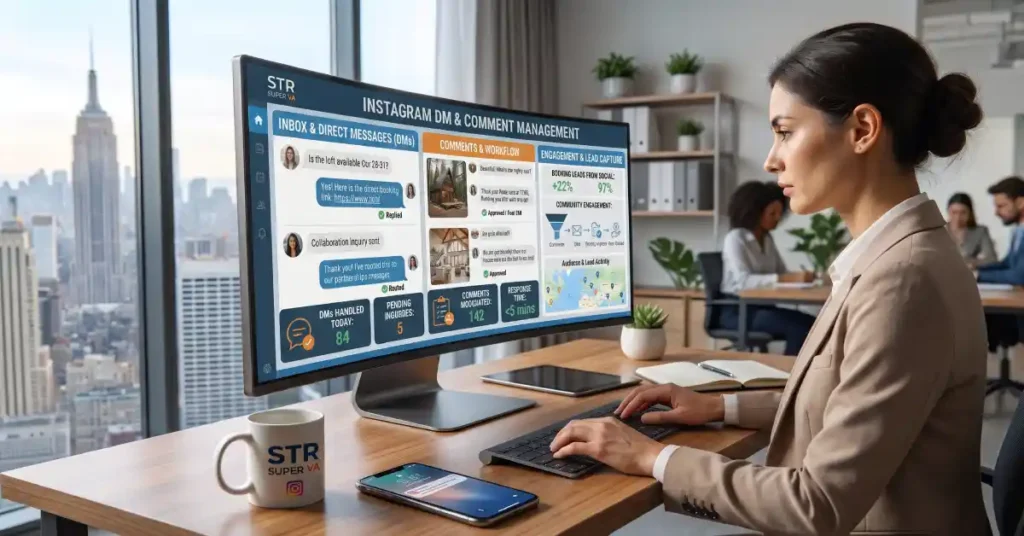
An Instagram virtual assistant takes over the daily inbox and comment work that eats a host’s time. For short-term rental brands, that work never stops. Guests ask about availability at 11 p.m. Past guests tag you in photos. Strangers drop questions under your Reels.
If you reply late, the lead books somewhere else. If you skip comments, your reach drops. This guide explains what an Instagram VA handles in your DMs and comments, how the workflow runs, and how to know when to hand it off.
What Is an Instagram Virtual Assistant?
An Instagram virtual assistant is a remote professional who manages your Instagram account activity. That includes replying to messages, moderating comments, and following up with leads. Some also schedule posts and track results.
An Instagram VA is not a bot. A real person reads each message, understands the context, and replies in your brand voice. That matters in hospitality, where tone decides whether a guest trusts you.
If you want help beyond Instagram, a social media virtual assistant can cover Facebook, TikTok, and other channels under one workflow.
Why DMs and Comments Matter for STR Brands
Instagram is a booking channel for many hosts and property managers. People browse listings visually, then ask questions in the DMs. Comments work as public proof that your brand is active and responsive.
Three things make the inbox worth protecting:
- Speed wins bookings. A guest who asks about dates wants an answer fast. Delays push them to the next listing.
- Comments shape the algorithm. Replies and conversations signal that your content sparks engagement.
- Public replies build trust. New followers read your comment section before they message you.
A strong Instagram VA treats the inbox as a sales and service desk, not a chore list.
What an Instagram VA Handles in Your DMs
Inquiry Replies
The most common DM is a simple question. Is the property available? Does it allow pets? How far is it from the beach? Your VA answers from an approved FAQ document and a short set of brand voice rules.
They never guess. If a question falls outside the script, they flag it and wait for your answer.
Lead Qualification
Not every message is a real lead. A VA asks a few light questions to find out who is serious. Typical questions cover travel dates, group size, and budget range.
Qualified leads then move to your booking link, your inquiry form, or a call. This keeps your own time free for guests who are ready to book.
Booking Follow-Ups
Many leads go quiet after one message. A VA follows up on a set schedule, such as after one day and again after three days. Each message is short, friendly, and useful.
This single task often recovers bookings that would otherwise be lost.
Guest Support Triage
Past and current guests sometimes use Instagram for support. They ask about check-in, Wi-Fi, or parking. Your VA answers simple questions using your guest guide.
Urgent issues, like a lockout or a safety problem, go straight to you or your on-site team. A good VA knows where the line sits and escalates fast.
Collaboration and Partnership Requests
Influencers, photographers, and local businesses also send DMs. Your VA sorts these into a separate folder. They reply with a standard note and pass strong opportunities to you.
Spam and Scam Filtering
Instagram inboxes attract fake collaboration offers and phishing links. A VA spots these and removes them. They also warn you about new scam patterns they see.
What an Instagram VA Handles in Your Comments
Replying to Questions
People often ask about pricing or availability in the comments. Your VA replies publicly with a short answer. They then invite the person to continue in the DMs for details.
Engaging With Positive Comments
Replying to praise keeps the conversation alive. Your VA responds with warmth and variety. They avoid copy-paste replies, which feel robotic and hurt trust.
Moderating Negative Comments
Negative comments need a calm, fast response. Your VA follows a clear rule set:
- Reply publicly to honest complaints with an offer to fix the problem in DMs.
- Hide comments that are abusive, spammy, or off-topic.
- Report threats or harassment.
- Alert you about any complaint that could affect your reputation.
Managing Tags and Mentions
When guests tag your property, your VA likes, replies, and saves the post. With permission, they ask to repost the photo. This builds a steady stream of user-generated content without extra work from you.
Seeding Conversation
Your VA also leaves thoughtful comments on posts from local partners and travel accounts. This builds relationships and brings new people to your profile.
How the Workflow Runs Day to Day
Strong results come from a simple, documented process. Here is how most setups work.
Step 1: Onboarding. You share your brand voice, FAQs, house rules, and escalation contacts. Your VA studies past replies to match your tone.
Step 2: Reply templates. Together you build a library of saved replies. These cover common questions but are always edited to fit each message.
Step 3: Daily checks. Your VA reviews DMs and comments at set times. Many STR brands pick morning, midday, and evening checks.
Step 4: Escalation. Anything sensitive goes to you with a short summary and a suggested reply.
Step 5: Reporting. Each week you receive a brief report. It covers response times, leads generated, and common questions.
Sample Response Time Targets
| Message Type | Target Response Time | Who Decides |
|---|---|---|
| New booking inquiry | Within 1 hour in business hours | VA, using FAQ |
| Guest support question | Within 30 minutes | VA or on-site team |
| Public comment question | Within 4 hours | VA |
| Complaint or negative comment | Within 1 hour, then escalate | VA, then owner |
| Collaboration request | Within 24 hours | Owner approves |
DIY Inbox vs. an Instagram VA
Many hosts start by handling Instagram alone. It works until volume grows. This table shows where the tradeoffs sit.
| Factor | Doing It Yourself | Working With an Instagram VA |
|---|---|---|
| Response speed | Depends on your schedule | Consistent, set by agreed hours |
| Lead follow-up | Often forgotten | Done on a fixed schedule |
| Brand voice | Natural but uneven | Documented and repeatable |
| Your time | Several hours a week | Minutes for review and approvals |
| Coverage during travel or busy seasons | Gaps appear | Steady coverage |
| Cost | Free in cash, costly in time | Predictable monthly cost |
What an Instagram VA Should Not Handle Alone
Good delegation has limits. Keep these tasks with you or your core team:
- Refunds, discounts, and pricing exceptions
- Legal or insurance questions
- Damage claims and safety incidents
- Public statements about a crisis
Your VA can gather facts and draft a reply. You approve the final answer.
How to Set Up Your VA for Success
A few habits make the biggest difference.
- Write a one page voice guide. Include words you like, words you avoid, and sample replies.
- Create an escalation list. Name who to contact for each issue type, with backup contacts.
- Share access safely. Use Instagram’s built-in roles or Meta Business Suite instead of passwords where possible.
- Review early and often. Check replies daily in the first two weeks, then weekly.
- Connect inbox work to content. Questions in your DMs reveal what your audience wants to see. A shared Instagram VA content calendar for STR brands turns those questions into posts.
Signs You Are Ready to Hire an Instagram VA
You likely need help if any of these sound familiar:
- You often reply to DMs more than a day late.
- Leads go cold because nobody follows up.
- Comments pile up unanswered under your best posts.
- You avoid posting because the inbox feels overwhelming.
- Your team spends more time on Instagram than on guests.
If two or more apply, a VA will probably pay for itself in recovered bookings and saved hours.
Get Help With Your Instagram Inbox
STR Super VA trains assistants who understand short-term rental guests and property managers. You can learn more on the STR Super VA homepage, then get started with a short form to describe your needs. If you prefer to talk first, contact the team here or call 866-328-9826.
Frequently Asked Questions
What does an Instagram virtual assistant do?
An Instagram virtual assistant manages your account activity. That includes replying to DMs, answering and moderating comments, following up with leads, and flagging urgent issues. Many also help with scheduling and weekly reporting.
How much does an Instagram VA cost?
Pricing depends on hours, experience, and scope. Most providers offer monthly plans based on weekly hours. Inbox management alone costs less than a full social media package. Contact STR Super VA for a quote that fits your volume.
Can a VA reply to Instagram DMs in my brand voice?
Yes. You provide a voice guide, sample replies, and an FAQ document. Your VA studies these and matches your tone. Early reviews help fine tune the style until replies feel like you.
Is it safe to give a VA access to my Instagram account?
It can be safe with the right setup. Use Meta Business Suite or Instagram’s role based access instead of sharing your password. Turn on two factor authentication. Remove access immediately when an engagement ends.
How many hours a week does Instagram DM and comment management take?
A small account may need only a few hours a week. A busy STR brand with several properties often needs 10 to 20 hours. Volume, time zones, and response goals all change the number.
What is the difference between an Instagram VA and a social media VA?
An Instagram VA focuses on one platform and its inbox, comments, and content. A social media virtual assistant covers several platforms and coordinates one strategy across them. Choose based on where your guests spend time.