
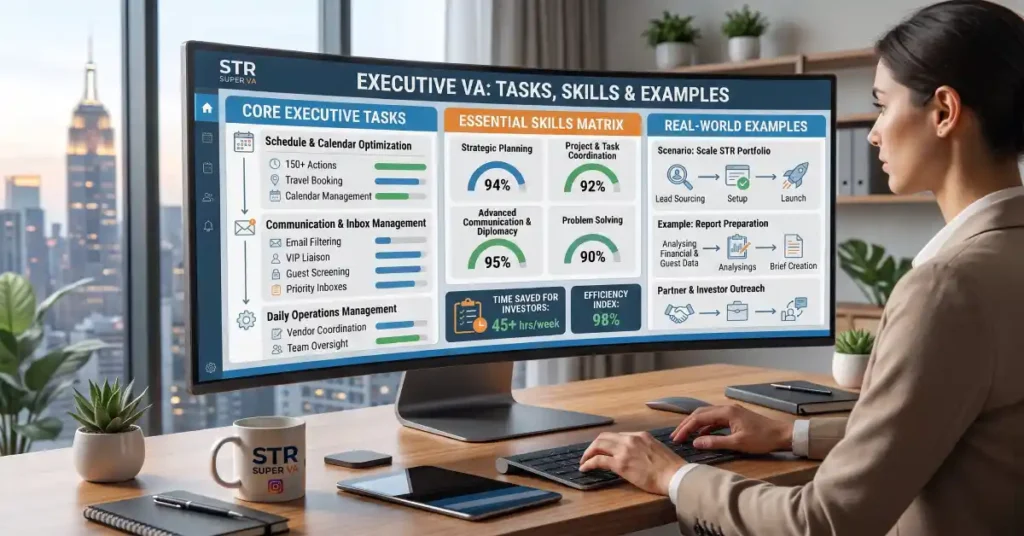
If you’re a founder, CEO or senior leader, your time is the scarcest resource in the business. Yet most of your week gets swallowed by email, scheduling, follow-ups and coordination that don’t need your judgment. That’s the gap an executive virtual assistant fills.
So what does an executive virtual assistant do, exactly? In short, they act as your remote right hand: managing your communications, protecting your calendar, preparing you for meetings, tracking priorities and keeping projects moving, so you can focus on decisions only you can make. This guide breaks down the tasks, the skills to look for, real-world examples and when it makes sense to bring one on.
What Is an Executive Virtual Assistant?
An executive virtual assistant (EVA) is a remote professional who provides high-level administrative and operational support to business leaders. Unlike a basic task-taker, an EVA anticipates needs, manages priorities and acts with a degree of independence, because they understand how you work and what matters most to your business.
They work from their own location and use shared tools such as email, calendars, Slack and project boards, so there’s no desk, equipment or payroll to manage. Many leaders use an executive VA the way they would use an in-house executive assistant, but with more flexibility on hours and cost.
How an Executive VA Differs From an Admin VA
The two roles overlap, which is why people often confuse them. The simplest distinction:
| Admin virtual assistant | Executive virtual assistant | |
|---|---|---|
| Focus | Day-to-day operations | Supporting a leader’s priorities and decisions |
| Typical work | Data entry, scheduling, CRM updates, document formatting | Inbox triage, calendar strategy, meeting prep, stakeholder communication |
| Independence | Follows defined processes | Anticipates needs and acts with judgment |
| Best for | Owners drowning in routine tasks | Founders and executives who need a thought partner for execution |
If you’re unsure which fits you, our breakdown of admin VA vs. executive VA walks through the differences in more detail.
Core Tasks of an Executive Virtual Assistant
Every executive is different, but most EVAs cover these areas.
1. Email and communication management Your EVA monitors your inbox, flags what needs you, drafts replies in your voice, handles routine requests and keeps follow-ups from slipping. The goal is an inbox you only open for the messages that need your attention.
2. Calendar and schedule management This goes beyond booking meetings. A strong EVA protects focus time, batches calls, manages time zones, resolves conflicts and says no on your behalf when a request doesn’t fit your priorities.
3. Meeting preparation and follow-up Before a meeting, your EVA gathers background, agendas and talking points. After it, they capture notes, circulate action items and make sure each task has an owner and a deadline.
4. Travel planning and logistics Flights, hotels, ground transport, itineraries and visa or booking details, all organized in one place, with changes handled when plans shift.
5. Project and priority tracking Your EVA keeps your task boards current, chases deliverables from the team, tracks deadlines and gives you a clear daily or weekly view of what’s moving and what’s stuck.
6. Research and reporting From vendor comparisons and competitor research to briefing notes and summary reports, an EVA turns scattered information into something you can act on quickly.
7. Document and presentation preparation Proposals, decks, memos, board updates and SOPs, formatted and proofread so they’re ready to send.
8. Stakeholder and client communication Your EVA can be the first point of contact for clients, investors, partners and vendors, handling scheduling, confirmations and routine questions while escalating what needs you.
9. Light operations and finance admin Expense reports, invoice follow-ups, subscription tracking and vendor coordination, so the small stuff doesn’t pile up.
10. Team coordination Passing requests to your team, running check-ins, tracking commitments and keeping communication consistent across people and time zones.
What a Week Might Look Like
Examples make the role concrete. Here’s a realistic picture of how an EVA might support a founder:
- Monday morning: clears the weekend inbox, prepares a priority summary, confirms the week’s meetings and flags two scheduling conflicts
- Midweek: prepares a briefing doc for a partner call, books travel for a conference, updates the project board and chases two overdue deliverables
- Thursday: drafts replies to investor and client emails for approval, compiles a competitor research summary and organizes documents for a board update
- Friday: sends a weekly recap of completed tasks, open items and next week’s calendar, then resets priorities with you in a short check-in
The result is a leader who walks into every meeting prepared and spends their time on decisions, not logistics.
Key Skills to Look For in an Executive Virtual Assistant
Strong executive VAs combine practical skills with judgment. Look for:
- Communication: clear, professional writing and the ability to match your tone
- Organization: managing multiple priorities, deadlines and moving parts without dropping details
- Discretion: handling confidential information responsibly
- Initiative: spotting problems and solving them before you ask
- Time management: protecting your calendar and managing their own workload reliably
- Tool fluency: comfort with the software your business runs on
- Problem-solving: making sound decisions within agreed boundaries
- Reliability: consistent availability and responsiveness during agreed hours
If you want a structured way to evaluate candidates, our step-by-step guide to hiring a virtual assistant covers interview questions, paid test tasks and onboarding, and most of it applies to executive roles too.
Tools an Executive VA Typically Uses
A good EVA is comfortable across your existing stack. Common tools include:
- Email and calendar: Google Workspace (Gmail, Calendar) and Microsoft 365 (Outlook)
- Communication: Slack, Zoom, Microsoft Teams
- Project management: Asana, ClickUp, Trello, Notion
- CRM: HubSpot, Zoho CRM
- Documents and files: Google Drive, Dropbox, Word, Google Docs, PowerPoint or Slides
- Scheduling and travel: Calendly or similar booking tools, plus travel booking platforms
- Security: a password manager such as 1Password or LastPass for safe access
Tell your VA which tools you already use, and they’ll adapt rather than asking you to change your workflow.
Who Benefits Most From an Executive Virtual Assistant?
An EVA is a strong fit for:
- Founders and CEOs who are the bottleneck for scheduling, communication and follow-through
- Consultants and coaches juggling clients, calls and content
- Agency owners coordinating teams, clients and deadlines
- Real estate investors and property business owners managing multiple deals and relationships
- Busy executives and senior managers who need coverage without a full-time hire
If you recognize yourself in any of these, you may already be past the point where DIY works. Our post on signs a founder should hire an executive assistant shows the warning signs to watch for.
What an Executive VA Should Not Do Without Your Approval
A good executive VA has real authority, but clear limits protect you both. Agree up front on what needs your sign-off, such as:
- Signing contracts or making legal commitments
- Approving payments, refunds or large purchases
- Sharing sensitive information with outside parties
- Making hiring, firing or compensation decisions
- Committing you to meetings with new high-priority contacts
Start with tighter boundaries, then widen them as trust builds. Document the rules in a short shared guide so expectations stay clear.
How to Get the Most Out of Your Executive Virtual Assistant
- Start with a clear scope: list the tasks you want off your plate and the outcomes you expect
- Share your preferences: communication style, meeting rules, response times and what counts as urgent
- Document recurring processes: short checklists or Loom videos speed up training
- Set a regular rhythm: a brief daily or weekly check-in keeps you aligned
- Give specific feedback early: small corrections in week one prevent bigger problems later
- Expand gradually: add responsibilities as your VA proves reliable
Get Executive Support Without the Full-Time Overhead
An executive virtual assistant gives you the benefits of a trusted right hand with far more flexibility than an in-house hire. If you’d like to see how it could work for your business, explore our executive virtual assistant services to see what’s included.
At STR Super VA, we match you with a vetted virtual assistant based on your workflow, tools and communication style. Ready to get started? Fill out our short form or call us at 866-328-9826 to talk through your needs.
Frequently Asked Questions
What is the difference between an executive virtual assistant and a regular virtual assistant?
A regular or admin virtual assistant focuses on defined, routine tasks such as data entry, scheduling and document formatting. An executive virtual assistant supports a leader’s priorities directly, handling inbox triage, calendar strategy, meeting preparation and stakeholder communication with more independence and judgment. Many businesses start with an admin VA and add executive support as they grow.
How much does an executive virtual assistant cost?
Cost depends on the VA’s experience, the number of hours you need and whether you hire a freelancer or work with an agency. Executive VAs usually cost more than basic admin support because the role requires more judgment and responsibility. Compare what’s included, such as vetting, training, management and replacement support, rather than only the hourly rate. Contact us for a quote based on your workload.
What skills should an executive virtual assistant have?
Look for strong written communication, organization, discretion with confidential information, initiative and sound judgment. Tool fluency matters too, especially Google Workspace or Microsoft 365, Slack and a project management platform such as Asana or ClickUp. Experience supporting senior leaders is a big plus, because it shows they can handle priorities and pressure.
Can an executive virtual assistant manage my email and calendar?
Yes, and these are usually the first tasks leaders delegate. An executive VA can triage your inbox, draft replies in your voice, schedule and reschedule meetings, manage time zones and protect time for focused work. You can grant delegate access to your accounts instead of sharing passwords, which keeps things secure and easy to adjust.
How do I know when to hire an executive virtual assistant?
Common signs include spending hours each day on email and scheduling, missing follow-ups, working evenings to catch up and being the bottleneck for routine decisions. If administrative work is stopping you from focusing on growth, it’s time. Our guide to when a founder should hire an executive assistant lists the signs in more detail.
Is an executive virtual assistant worth it?
For most busy leaders, yes. If the hours an EVA frees up are spent on sales, strategy or key relationships, the support often pays for itself. Start with a clear set of tasks, measure results over the first month and expand responsibilities as trust grows.