For most B2B founders, LinkedIn is where the right buyers already are. The problem is time. Researching prospects, sending thoughtful messages, following up and booking calls is a daily job, and it’s usually the first thing to slip when you’re also running sales calls, delivery and the rest of the business.
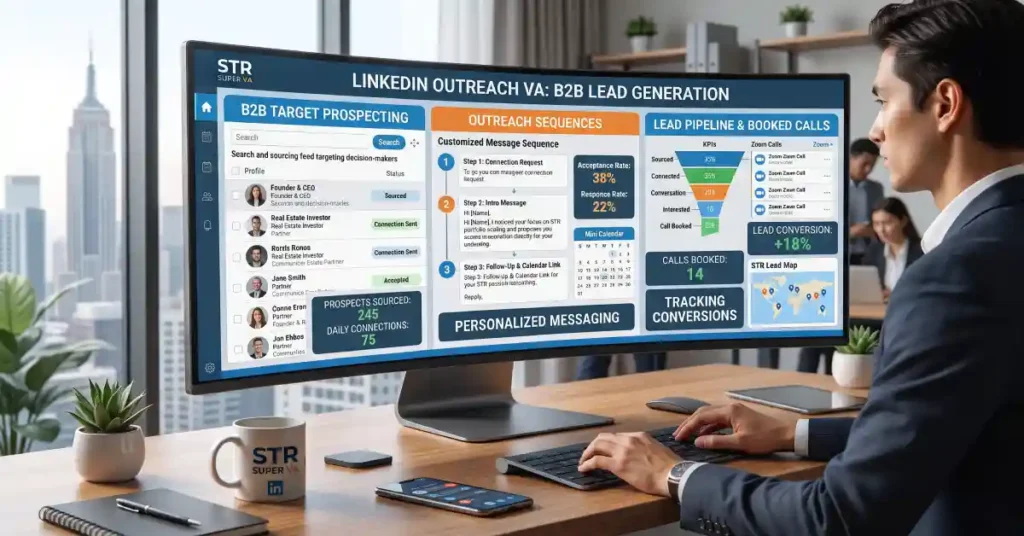
That’s where a LinkedIn outreach VA comes in. A LinkedIn virtual assistant handles the repeatable work of prospecting and outreach so your pipeline keeps moving while you focus on conversations that close deals. This guide explains what a LinkedIn outreach VA does, how a good lead generation workflow runs, what to track and how to hire one safely.
What Is a LinkedIn Outreach VA?
A LinkedIn outreach VA is a remote assistant trained to run the day-to-day side of LinkedIn lead generation. Instead of you spending an hour each morning on connection requests and messages, your VA researches target prospects, sends personalized outreach, follows up consistently, keeps your CRM updated and passes warm replies to you.
The key word is personalized. A good VA doesn’t blast generic templates. They follow your messaging, your ideal customer profile and your tone, so prospects feel they’re hearing from you.
Why B2B Founders Struggle With LinkedIn Outreach Alone
Most founders know LinkedIn works, but struggle to keep it going. Common reasons:
- Inconsistency: outreach happens in bursts, then stops during busy weeks
- No system: leads live in inboxes, notes and memory instead of a tracked pipeline
- Follow-up gaps: most deals need more than one touch, and follow-ups get forgotten
- Opportunity cost: an hour on prospect research is an hour not spent on closing, strategy or delivery
- Profile neglect: an outdated profile weakens every message you send
A VA fixes the consistency problem, which is usually what separates founders who generate steady leads from those who rely on referrals alone.
What a LinkedIn Outreach VA Actually Does
1. Profile optimization support Your profile is the landing page for every message. A VA can tighten your headline, about section, featured links and experience so prospects who click through quickly understand who you help and how, following your direction.
2. Ideal customer profile (ICP) research and list building Your VA identifies prospects who match your criteria, such as industry, company size, role and location, and builds a clean, organized list in a spreadsheet or CRM. Quality here determines the quality of everything after.
3. Connection requests They send personalized connection requests, often referencing a shared interest, a recent post or a relevant detail, rather than a generic pitch.
4. Message sequences and follow-ups Once a prospect accepts, your VA runs a short, structured sequence: an opening message, a value-based follow-up and a polite final nudge. Consistent follow-up is where many replies come from.
5. Engagement and warm-up Liking, commenting thoughtfully and engaging with prospects’ posts helps you appear familiar before you reach out. Your VA can handle this using your guidelines for tone and topics.
6. Content support Many VAs also help with posting: scheduling your content, formatting posts and tracking what performs. If you need help across several platforms, a social media virtual assistant can cover content beyond LinkedIn.
7. Inbox management and reply handling Your VA monitors replies, sorts them into categories (interested, not now, not a fit) and passes the warm ones to you quickly with context.
8. Call booking They share your calendar link, confirm times and send reminders, so interested prospects move from reply to meeting with little friction.
9. CRM updates and reporting Every conversation is logged in your CRM, and you get a regular report on outreach activity, replies and booked meetings.
The LinkedIn Lead Generation Workflow, Step by Step
A reliable process matters more than any single message. Here’s how a well-run workflow usually looks:
- Define your ICP. Be specific about who you want: titles, industries, company sizes, problems and triggers (such as a funding round or a new hire).
- Optimize your profile. Make sure it clearly says who you help and what result you deliver, with a simple next step.
- Build a targeted list. Your VA researches prospects and adds them to a tracking sheet or CRM, along with a note on why each one fits.
- Warm up the prospect. A few days of light engagement with their content makes outreach feel less cold.
- Send a personalized connection request. Short, relevant and free of a hard pitch.
- Run a follow-up sequence. An opening message after they accept, then one or two value-led follow-ups spaced a few days apart.
- Hand off warm replies. Your VA flags interested prospects immediately and books calls on your calendar.
- Track and refine. Review what’s working every week and adjust the targeting, messaging and timing.
Sample Message Framework
These examples show the tone to aim for: short, specific and low pressure. Adapt them to your voice and offer.
Connection request note
Hi [Name], I saw your post on [topic] and liked your point about [specific detail]. I work with [type of company] on [problem], so I thought it would be good to connect.
First message after they accept
Thanks for connecting, [Name]. Quick question: how are you currently handling [problem] at [Company]? I ask because we’ve been helping [similar companies] with it and I’m curious how it looks on your side.
Follow-up
Hi [Name], following up on my last note. I put together a short [resource or example] on [topic] that might be useful. Want me to send it over?
Booking message
Happy to walk you through it. Would a 15-minute call on [day] or [day] work for you?
Write your own templates with your VA, then refine them using reply data. Avoid long pitches in the first message, since the goal is a conversation, not a sale.
What Stays With the Founder, and What the VA Handles
A clear division keeps quality high:
| Founder | LinkedIn outreach VA |
|---|---|
| Sets the ICP, offer and messaging | Researches prospects and builds lists |
| Approves templates and tone | Sends connection requests and follow-ups |
| Handles sales calls and negotiations | Books and confirms meetings |
| Responds to complex or sensitive replies | Sorts replies and flags warm leads |
| Reviews results weekly | Logs activity and prepares reports |
Most founders start by approving every message template, then give the VA more freedom as results and trust grow.
Tools a LinkedIn Outreach VA Typically Uses
- LinkedIn and LinkedIn Sales Navigator for search, lead lists and filters
- A CRM such as HubSpot or Zoho CRM to track every prospect and conversation
- Google Sheets or Notion for lead lists and outreach tracking
- Calendly or a similar scheduler for booking calls
- Loom for short training videos and walkthroughs
- A password manager for secure access to shared accounts
Be cautious with automation software. LinkedIn’s terms restrict certain automated activity, and aggressive tools can put your account at risk. Manual, personalized outreach by a trained VA is slower per message but safer and usually converts better.
Metrics to Track
You don’t need a complicated dashboard. Track a handful of numbers weekly:
- Connection acceptance rate: are your requests relevant enough to be accepted?
- Reply rate: are people responding to your first message?
- Positive reply rate: how many replies show real interest?
- Meetings booked: the number that matters most
- Meeting-to-opportunity rate: whether the right people are booking
- Cost per booked meeting: your VA’s cost divided by meetings generated
If acceptance is low, look at targeting and your connection note. If replies are low, look at the opening message. If meetings are low, look at how you handle booking and follow-up.
Common Mistakes to Avoid
- Targeting too broadly: a vague ICP creates a long list of poor-fit prospects
- Pitching in the first message: this tends to kill replies
- Skipping follow-ups: many responses come after the second or third touch
- Ignoring the profile: prospects will check it before they reply
- Over-automating: volume without relevance hurts replies and risks your account
- No feedback loop: without weekly reviews, weak messages never get fixed
Account Access and Safety
LinkedIn is tied to your personal professional identity, so protect it:
- Review LinkedIn’s terms on account access and automated activity before you start
- Use a password manager and two-factor authentication rather than sharing passwords in plain text
- Stay well within LinkedIn’s sending limits, which can change, and start with a small daily volume
- Keep outreach relevant and respectful, since reports and complaints can lead to restrictions
- Agree on what your VA can and can’t say on your behalf, and keep sensitive conversations with you
How to Hire a LinkedIn Outreach VA
Look for experience with B2B outreach, strong written English, comfort with a CRM and lead research tools, and good judgment about tone. Ask for examples of past outreach or a short paid test, such as researching 20 prospects against your ICP and drafting a few personalized connection notes.
Our step-by-step guide to hiring a virtual assistant covers interview questions, test tasks, access setup and onboarding, and nearly all of it applies to a LinkedIn role. Start with a clear scope, a small outreach volume and weekly reviews, then scale up as results come in.
Let Us Handle Your LinkedIn Outreach
If you’d rather skip the sourcing and training, explore our LinkedIn virtual assistant services to see how we support B2B founders with prospecting, outreach and follow-up.
At STR Super VA, we match you with a vetted virtual assistant based on your goals, tools and workflow. Ready to start? Fill out our short form or call us at 866-328-9826 to talk through your outreach plans.
Frequently Asked Questions
What does a LinkedIn virtual assistant do?
A LinkedIn virtual assistant handles the routine work of LinkedIn lead generation. That includes researching prospects, building lead lists, sending personalized connection requests, running follow-up sequences, managing replies, booking calls and logging everything in your CRM. Some also help with profile updates and content scheduling.
How much does a LinkedIn outreach VA cost?
Cost depends on the VA’s experience, the hours you need and whether you hire a freelancer or work with an agency. Specialized outreach skills usually cost more than basic admin help. Compare what’s included, such as vetting, training and replacement support, and measure the cost per booked meeting rather than just the hourly rate. Contact us for a quote based on your goals.
Is it safe to have a virtual assistant manage my LinkedIn account?
It can be, if you set it up carefully. Review LinkedIn’s terms, use a password manager and two-factor authentication, avoid aggressive automation tools and stay within sending limits. Keep outreach personalized and relevant, and agree on what your VA can say on your behalf. Starting small and reviewing activity weekly reduces risk.
Does LinkedIn outreach work for B2B lead generation?
For many B2B businesses, yes, especially when the offer is clear and the targeting is tight. LinkedIn lets you reach decision-makers directly and see their role, company and activity before you write. Results depend on your ICP, profile, message quality and follow-up consistency, so treat the first month as a testing period.
How many LinkedIn messages should a VA send per day?
There’s no single right number. LinkedIn applies limits that can change, and sending too much, too fast can trigger restrictions. Start with a modest daily volume, focus on relevance over quantity and increase gradually only if acceptance and reply rates stay healthy. Quality outreach to the right people beats high volume.
Should I hire a LinkedIn VA or a lead generation agency?
A LinkedIn VA suits founders who want hands-on, affordable support and are willing to define the ICP and messaging. A lead generation agency usually suits those who want a full strategy and done-for-you execution at a higher price. Many founders begin with a VA, prove the process and then decide whether to expand.